2026 • Personal Project
Klikado
Why It Exists
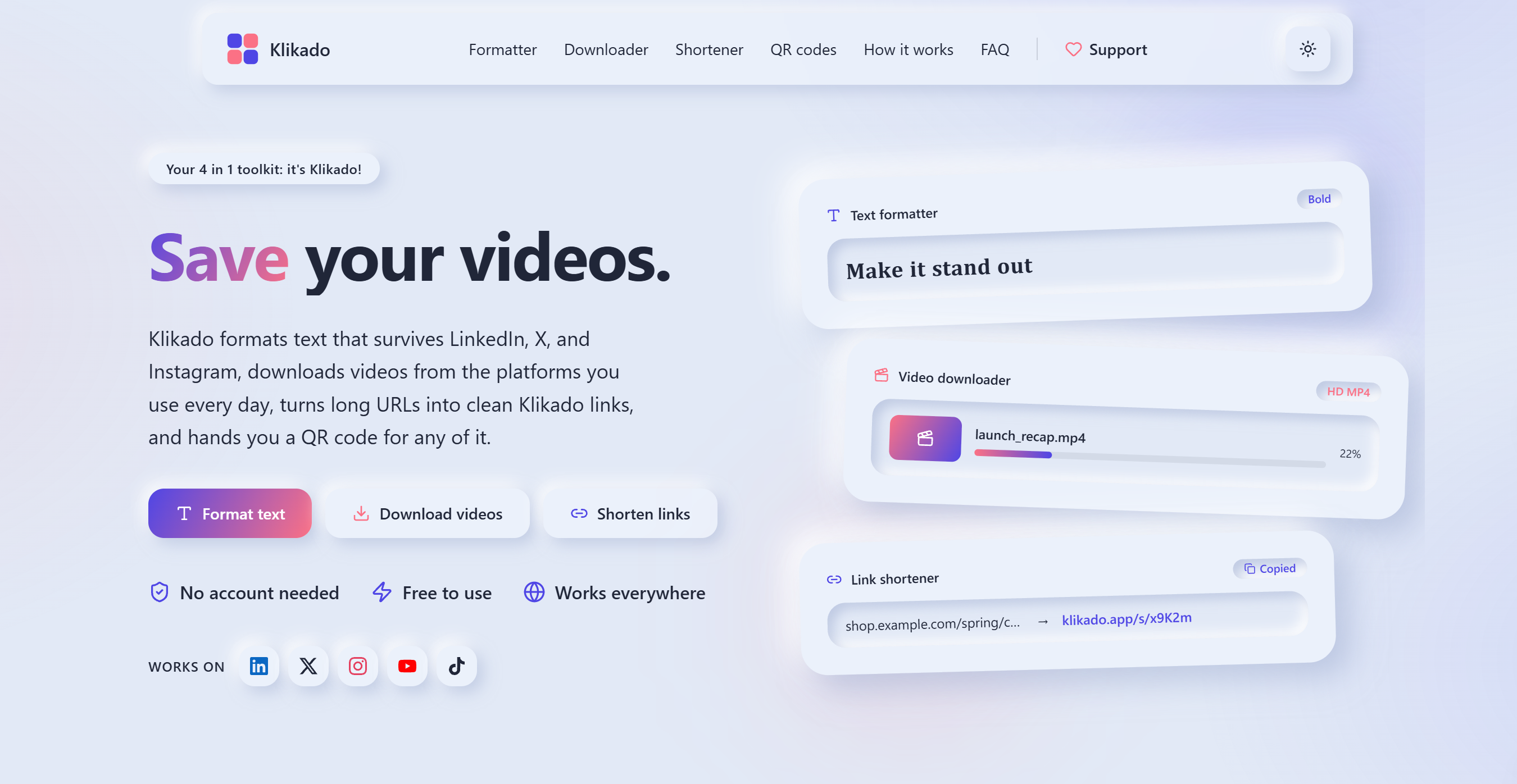
It started as one tool. I wanted to post on LinkedIn with bold or italic text, and every formatter site I found looked dated and did only one thing. So I built my own, then kept going: I also wanted to save videos without installing anything, hand out a short link instead of a long one, and get a QR code to go with it.
Klikado puts all four under one roof. No accounts, free to use, and I use it myself.
Where the Name Comes From
The project began as UnicodeKit, then became Clikit once the other tools arrived. That name turned out to be taken almost everywhere, so I went looking for something more unique. Klikado comes from Esperanto: kliki means to click, and the suffix ado marks an ongoing action. Put together, it roughly means the act of clicking, which fits a toolkit where one click does the job.
The Four Tools
- Text formatter: turns plain text into Unicode characters that look bold, italic, or monospace, so the style survives on LinkedIn, X, and Instagram. It runs entirely in the browser.
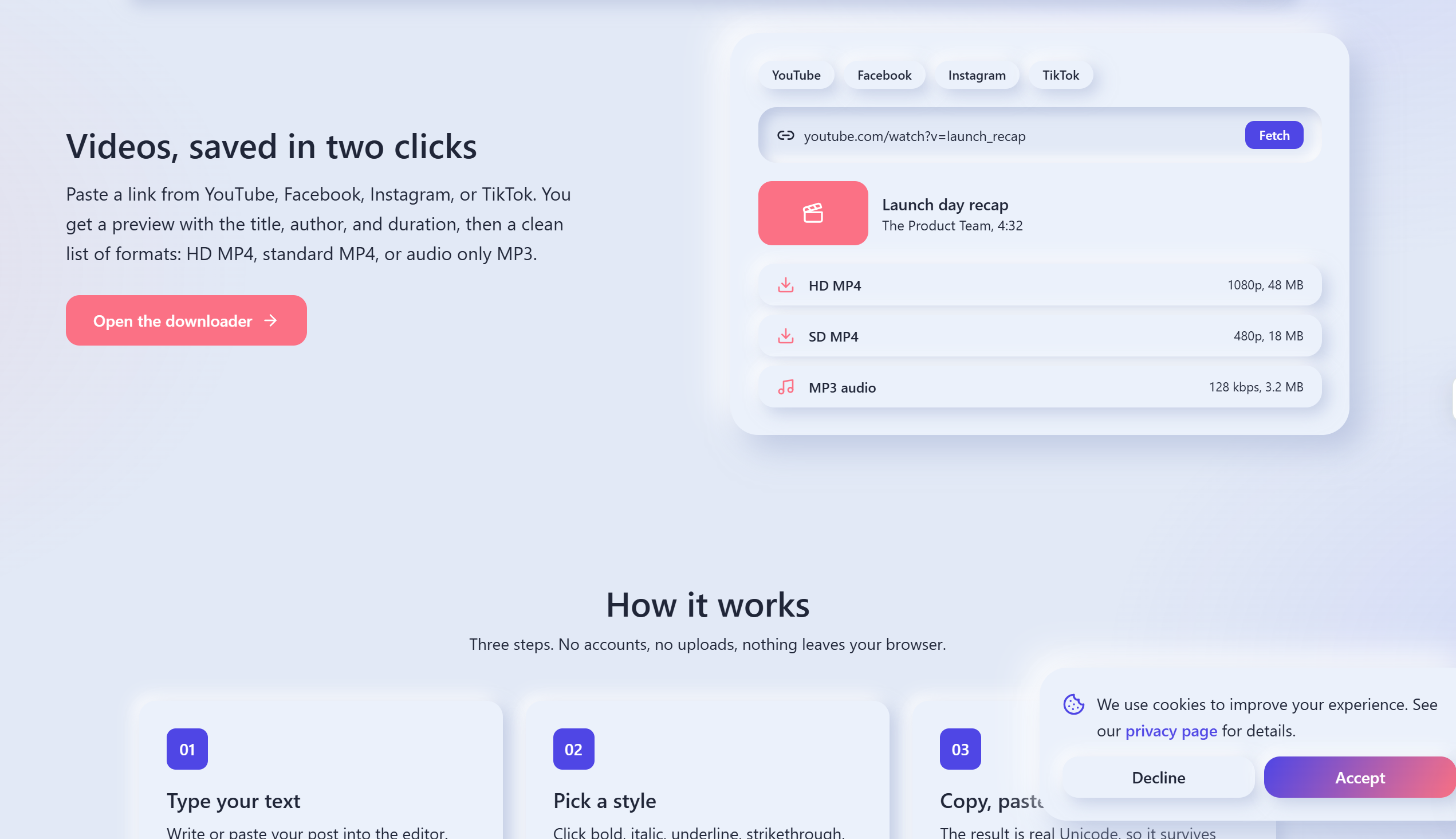
- Video downloader: paste a YouTube, TikTok, Instagram, or Facebook link, get a preview with title and duration, then download HD MP4, standard MP4, or MP3.
- Link shortener: turns a long URL into a klikado.app link stored on the server, so it works for anyone you share it with.
- QR generator: builds a QR code for any link or text right in the browser. Every shortened link gets one automatically.
How It Runs
Klikado is a single Next.js app, deployed on my own VPS rather than a managed platform. Cloudflare handles DNS in front of the server, and Caddy sits at the edge as a reverse proxy, serving the site over HTTPS with certificates it renews on its own. The app itself runs as a systemd service that only listens on localhost.
The formatter and the QR generator never leave the browser. Only the shortener and the downloader talk to the server. The shortener writes to a SQLite file, one row per link, with a hit count bumped on every visit. The downloader runs yt-dlp as a separate process: once to read the video details for the preview, and again to fetch the chosen format, with ffmpeg joining the picture and sound when a platform serves them as two streams.
Every push to main deploys automatically through GitHub Actions, and a version endpoint reports exactly what is live.
Security
- API routes are rate limited per visitor
- Database queries use prepared statements throughout
- The downloader checks its platform allowlist before yt-dlp ever runs
What I Learned
Running my own server taught me things a managed host hides. The first bug I hit in production: a short link's QR code sent my phone to localhost, because behind Caddy the app saw its own internal address instead of the public domain. I also learned why download tools need constant updates, since platforms keep changing how their video players hand out media, and I now keep a written log of each bug and its fix in the repo.
 Next.js
 TypeScript
 SQLite
 GitHub Actions